> For the complete documentation index, see [llms.txt](https://docs.7sales.7system.in/7salesdocs/llms.txt). Markdown versions of documentation pages are available by appending `.md` to page URLs; this page is available as [Markdown](https://docs.7sales.7system.in/7salesdocs/login.md).
# Login
The page from where you can get the access to the admin panel.
Welcome to 7Sales login page! To access your 7Sales account, you'll need to log in with your username and password & Company ID. If you're new to 7Sales, you can ask your HR or Admin to create a 7Sales Account for you and share the credentials with you.
### How to Login?
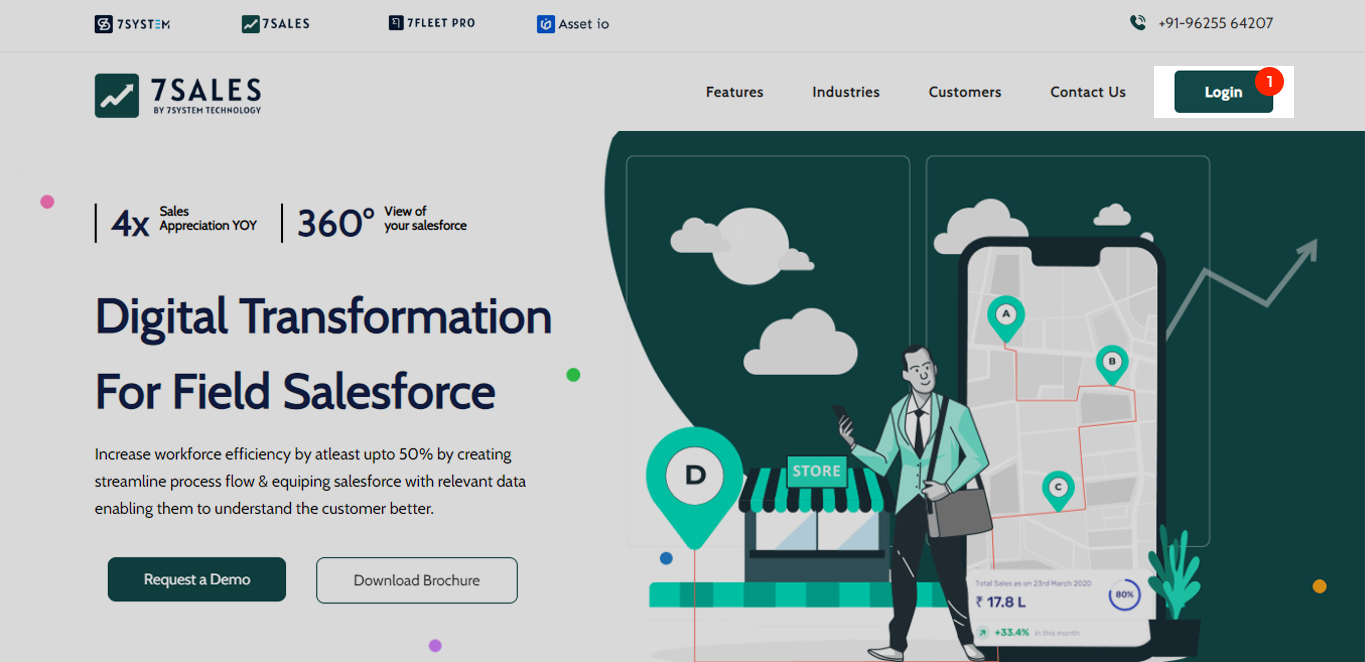
When you open our [website](http://7sales.7system.in/accountController/login). You see a login button on the top right corner. For reference we have attached the screenshot of the same below.
You have to click on the login button and you will be directed to the login page. The login page looks like the one mentioned below:
To log in to your account, please fill in your login credentials which were provided by the 7Sales onboarding team or your HR/Admin.
On the login page you will see 3 input fields (For your reference we have attached the screenshot above), you can see them marked as 1,2 & 3 in the above screenshot.
These are 3 basic details you need to login :
1. **Company ID**: This is your unique company ID that was provided by the 7Sales onboarding team.
2. **Username** : This is your unique username that was provided by the 7Sales onboarding team.
3. **Password** : This is your secret code that you received from the 7Sales onboarding team.
After entering these you can click on login and you will login into your account.
{% hint style="info" %}
If you do not wish to enter the credentials again kindly click on "**Remember Me\[4]**". this will save your login information so that you don't have to enter your login credentials every time you log in.
{% endhint %}
{% hint style="success" %}
### Successful Login
If your credentials are valid, you will be logged into the admin panel.
Now you can have the access to the Admin panel.
{% endhint %}
If the credentials entered by you are not correct then you will se an error like the one shown in the picture below.
### Types Of Login Errors :
* Invalid user : If you are not entering a correct username then you will see such error
* Invalid company id : If you are not entering the correct company id then you will be prompted with this error. Company ID is a 4 digit numeric ID and it look like - 7001.
* Invalid password : If you are not entering a correct password then you will be promted with this error. incase you have forgotten the password you can simply reset it by clicking on forgot password or you can reach our your admin / HR.
If you want to know more on how to reset your password then kindly click on the link mentioned below.
{% content-ref url="/pages/1KbsMLZypzfFwPNlVX0V" %}
[Forgot Password](/7salesdocs/forgot-password.md)
{% endcontent-ref %}